Know your customersbefore you reach out.
Keep customer information organized, searchable, and ready when your team needs it. Import existing contacts, build clearer audience segments, and use that data across Harp.

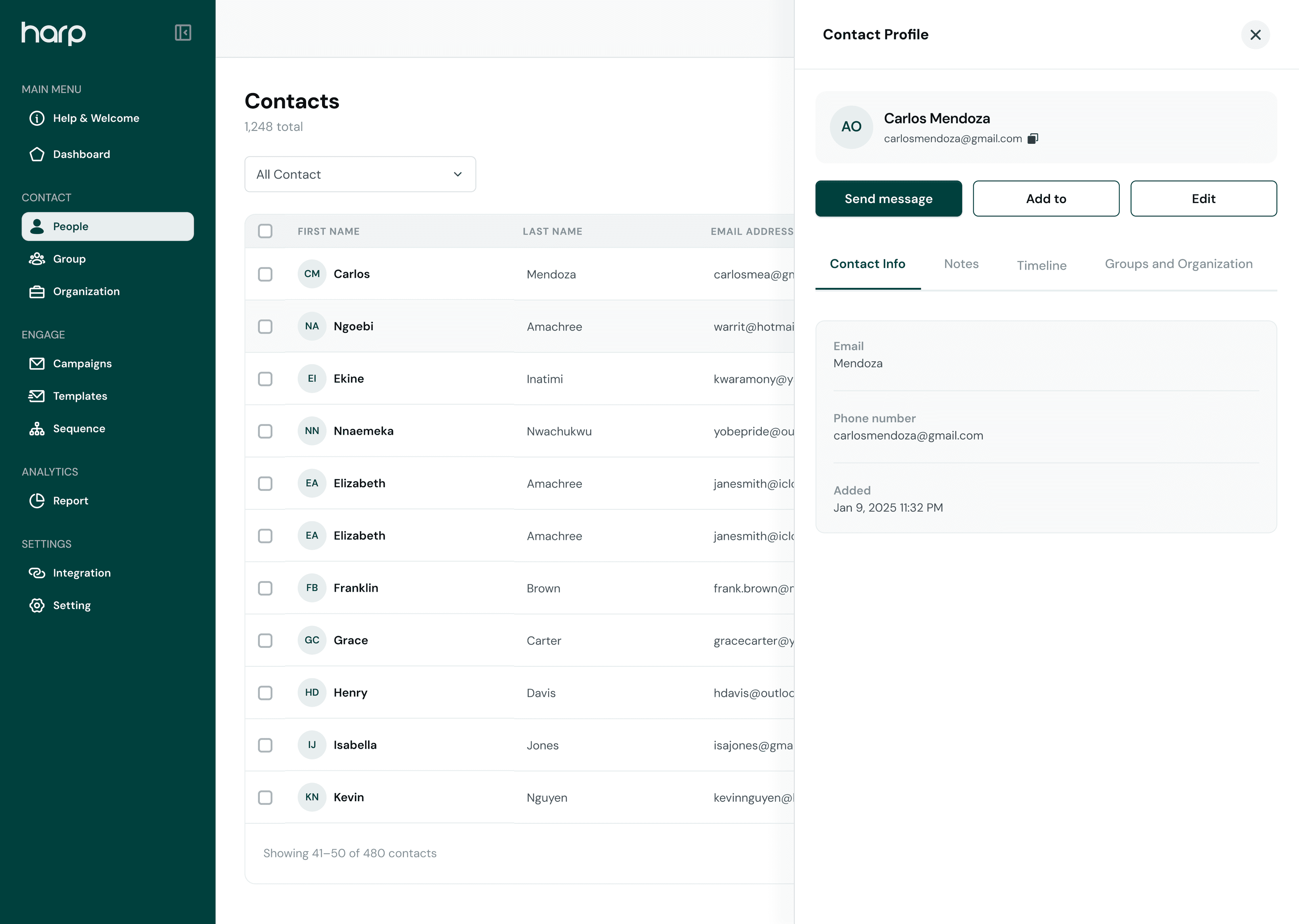
Contacts
Everything you need to know about a contact, in one place.
Give your team a complete view of every customer without switching between disconnected tools.
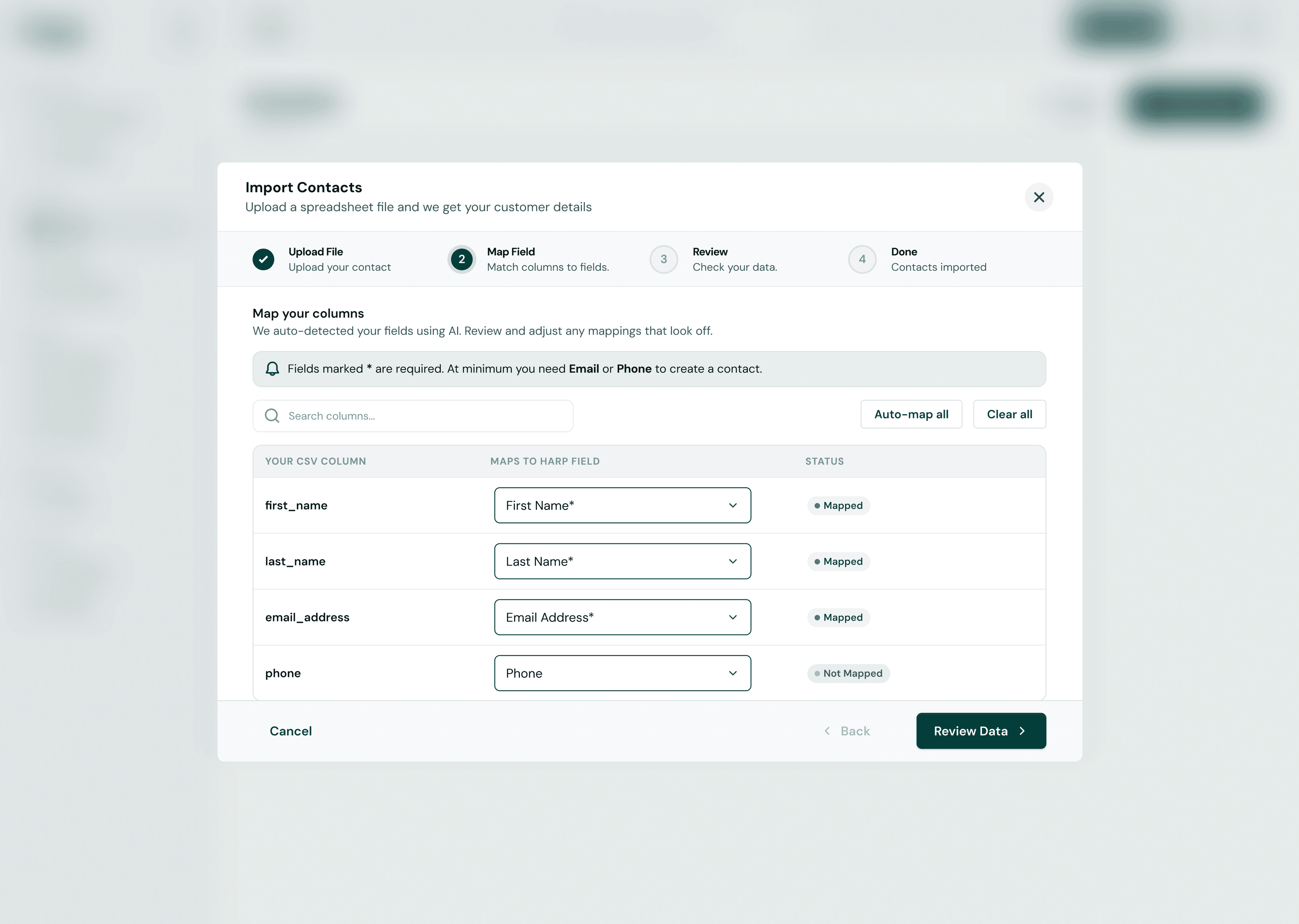
Import from CSV
Bring your existing contact list into Harp in one upload.
One place for customer info
Every contact’s details kept together and up to date.
Meaningful groups
Organize contacts into groups and organizations.
Search and filter
Find anyone by name, email, phone, or contact fields.
Previous interactions
See the campaigns and messages each contact received.
Audiences for outreach
Build segments to use in campaigns and sequences.
CSV import
Bring your existing contacts into Harp in minutes.
Upload a CSV file to move your existing customer list into Harp without entering contacts one by one.
- Upload CSV contact files
- Map CSV columns to Harp contact fields
- Review contact data before importing
- Complete the import and keep managing contacts in Harp

Organize
Organize your audience without the mess.
Use groups, filters, and customer information to keep your contacts structured and easy to find.
- Search by name, email, or phone
- Filter by contact fields like city, type, or date added
- Keep people in groups and organizations
People
6 contacts- AOAda Okaforada@acme.coLagos
- BKBayo Kareembayo@northwind.ioAbuja
- CEChioma Ezechioma@brightpath.coLagos
- DMDavid Mensahdavid@kolafoods.comAccra
- EOEfua Owusuefua@lumen.africaAccra
- FAFemi Adeyemifemi@acme.coLagos
Contact profiles
Know the person behind every message.
Open a contact profile to understand who they are, what they have engaged with, and how your team has interacted with them.
- Contact details at a glance
- Campaign history and engagement
- Notes from everyone on your team
Ada Okafor
Acme Studio · Returning customers
- First name
- Ada
- Last name
- Okafor
- ada@acme.co
- Phone
- +234 803 555 0142
- Type
- Customer
- City
- Lagos
Segmentation
Turn your contact data into useful audiences.
Group contacts based on the information already available in Harp and use those audiences across your campaigns and sequences.
- 01
Contacts
Everyone you know, with their details.
2,480 contacts - 02
Filters
Narrow down by the fields you already store.
City: LagosType: Customer - 03
Segment
Save the result as an audience you can reuse.
Lagos customers1,480 - 04
Campaign / Sequence
Send to that audience once, or over time.
September OfferWelcome series
Build better relationshipswith a clearer view of your customers.
Keep every contact organized and ready for your next conversation.