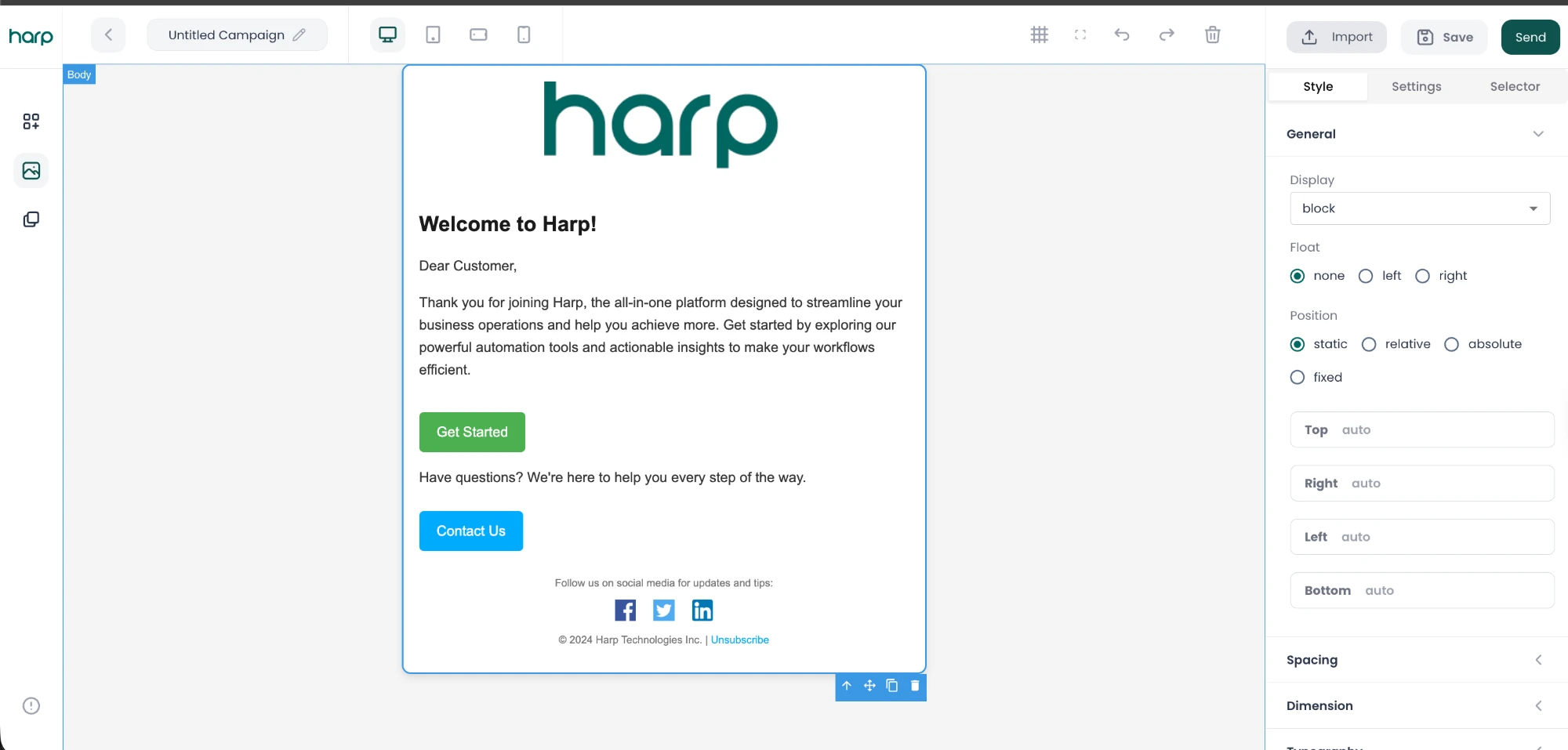
Design beautiful messageswithout writing code.
Drag and drop ready-made blocks, personalize every message with your customer data, and preview it before it goes out. Design Studio keeps every campaign on brand.

How it works
From blank page to finished message in minutes.
- 01
Start from a template
Pick a ready-made layout or start fresh.
- 02
Drag in blocks
Add text, images, buttons, and more.
- 03
Personalize
Fill in each customer’s details automatically.
- 04
Preview and test
Check it on every device before it goes out.
Drag and drop
Build on-brand emails, block by block.
Put together professional messages from ready-made blocks. No design tools or code needed, and your team stays consistent from one campaign to the next.
- Text, images, buttons, dividers, and columns
- Reusable templates for your team
- Custom HTML when you need full control

Build your email
Add a block
20% off, all September
2 of 6 blocks
Personalization
Make every message feel written for one person.
Insert contact fields into your subject line and content, and Harp fills them in for each customer when the message is sent.
- Use any contact field, like first name or city
- See exactly how it reads for a real contact
- Works across your campaigns and sequences
Personalize
Pick a contact field to use in the subject line
Subject
Preview for Ada Okafor
Preview and test
See it before your customers do.
Preview your message on desktop and mobile, then send yourself a test email so nothing goes out until it’s right.
- Desktop and mobile previews
- Test emails to your own inbox
- Fix issues before you publish

Preview
20% off, all September
Connected workflow
Design once. Use it everywhere you communicate.
Messages built in Design Studio go straight into your campaigns and sequences, and their results show up in your insights.
- 01
Design Studio
Build and personalize the message.
- 02
Campaigns
Send it to the right audience.
- 03
Sequences
Use it as a step in a follow-up.
- 04
Campaign insights
See how customers responded.
Design messagesyour customers want to open.
Build, personalize, and preview every message from one connected workspace.